Coming soonversion 0.52Separe is in private beta. The public release is on its way.

Coming soonSepare is in private beta. The public release is on its way.

The headless CMS for every editor, AI agent, developer and website

Editors get a fast Studio, AI agents get MCP with permissions a person approves, and developers get TypeScript schemas the Sanity way. All self-hosted.

Self-hosted · SQLite or Postgres · Node.js 24+

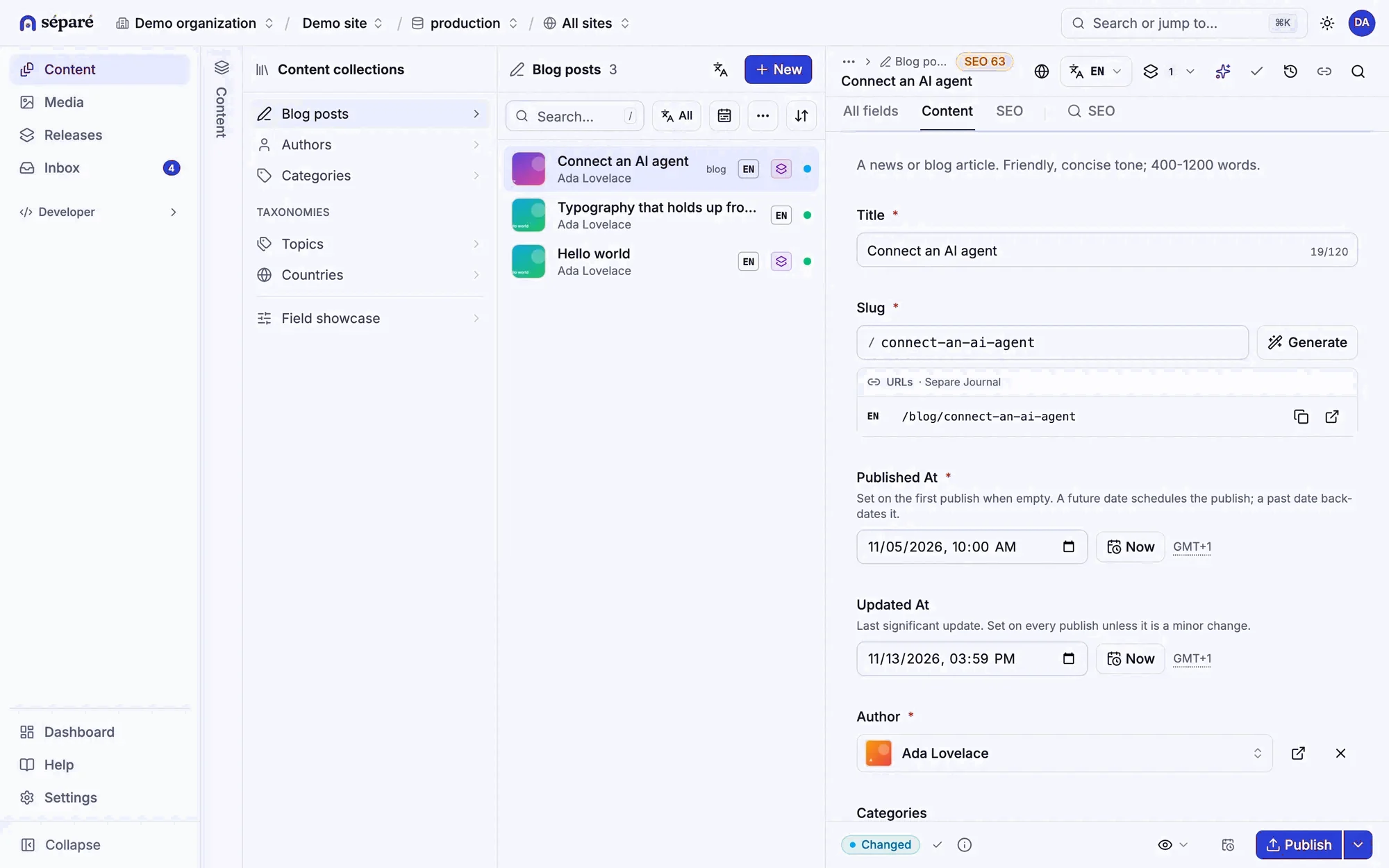
The Separe Studio: the list of blog posts and the editor for “Connect an AI agent”, with title, slug, dates and author fields.

How content moves

Many inputs, one source, every channel.

Editors in the Studio, AI agents over MCP, the CLI, plugins and imports all go through one validated pipeline with the same schema, permissions and history. Websites, apps and AI answer engines read what it publishes.

Hover a part to trace its wire · click it to play its scenario

Separe

one Node process

  1. normalize
  2. validate
  3. integrity
  4. commit
  5. events

Scenario

Publish a release

  1. An editor publishes the “Spring issue” release from the Studio.
  2. Separe validates both documents together and commits them with their history.
  3. Events go out: the website revalidates by cache tag, apps get a live update, llms.txt lists the new page.
Request lognewest first
  1.  livemutation2 documents → 1 subscriber
  2.  webhookPOST 200https://example.com/api/revalidate
  3.  corecommit2 documents · history +2
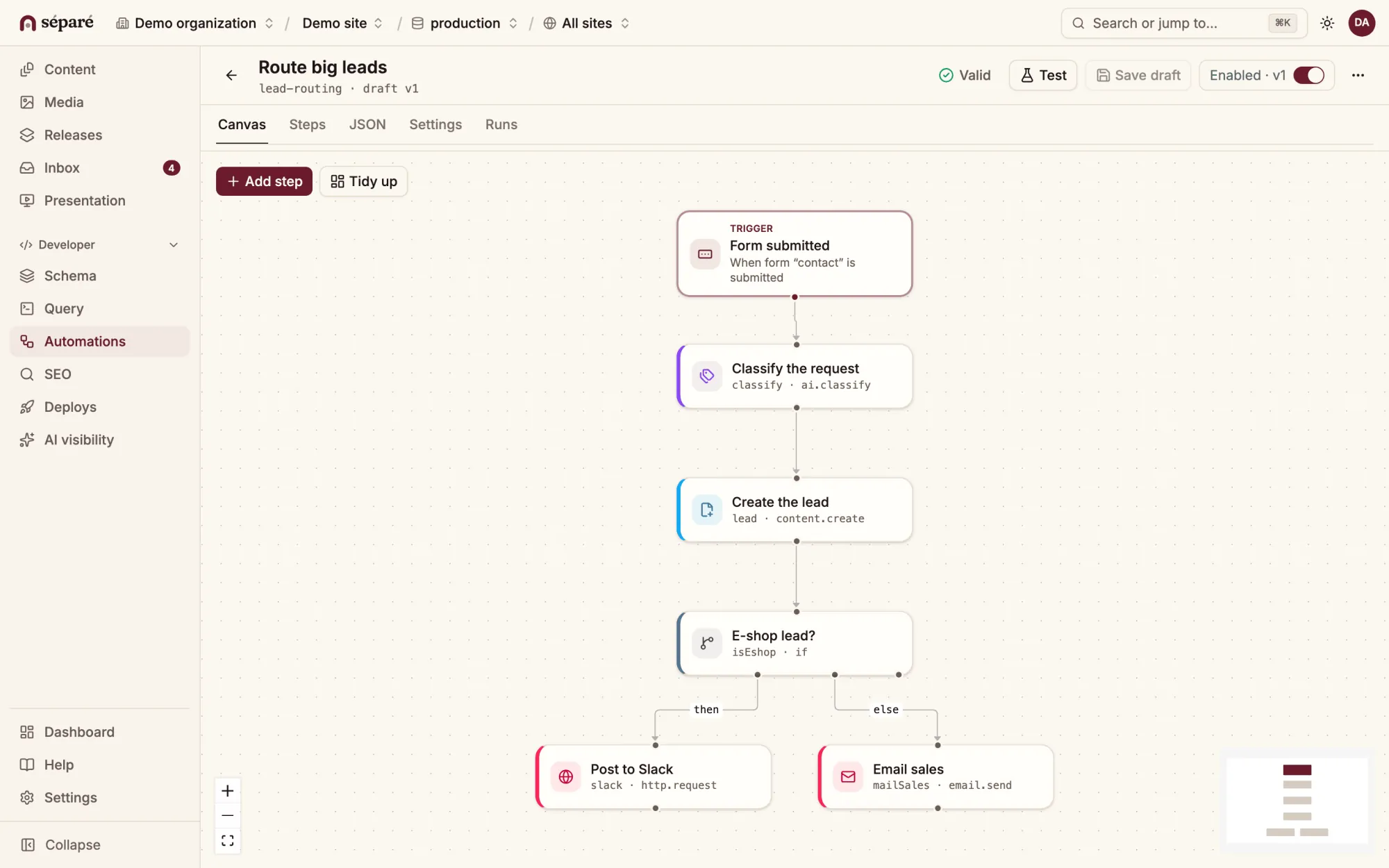
  4.  studiopublishrelease:spring-issue · 2 documents

What you run

What you run

Editors work in the Studio, agents over MCP with their own tokens and rules, developers in TypeScript. Every change is checked against your schema and kept in history, and it can wait as a draft until a person publishes it. All of it runs in one Node process, on a server you choose.

  • Runtime

    One Node.js process serves the API, the Studio, the MCP server and plugins.

    • Node.js 24+
    • API
    • Studio
    • MCP
  • Storage

    SQLite to start, Postgres and S3-compatible media to grow, or JSON files in your site’s git repository.

    • SQLite
    • Postgres
    • S3
    • Git files
  • Schema

    defineType and defineField in TypeScript, kept in your repository and deployed with a dry run first.

    • TypeScript
    • Sanity-style
    • Dry run
  • Queries

    GROQ-lite: GROQ’s syntax for filters, projections, references and ordering, with typed results.

    • GROQ subset
    • Typed
    • HTTP · SDK · MCP
  • Agents

    An MCP server at /mcp with per-agent policies, dry runs and approvals.

    • MCP
    • OAuth
    • Policies
    • Approvals
  • Frontends

    Guides for the common frameworks and static sites, and any language that speaks HTTP.

    • Next.js
    • Astro
    • SvelteKit
    • Nuxt
    • React Router
    • Angular
  • Editors

    Drafts, releases and scheduling, history and restore, and an Inbox for your forms.

    • Releases
    • Localization
    • Visual editing
    • Inbox
  • Deploy

    Docker Compose with Caddy for TLS, or a service behind any reverse proxy.

    • Docker
    • Caddy
    • TLS

The Studio

A Studio built for the people who write.

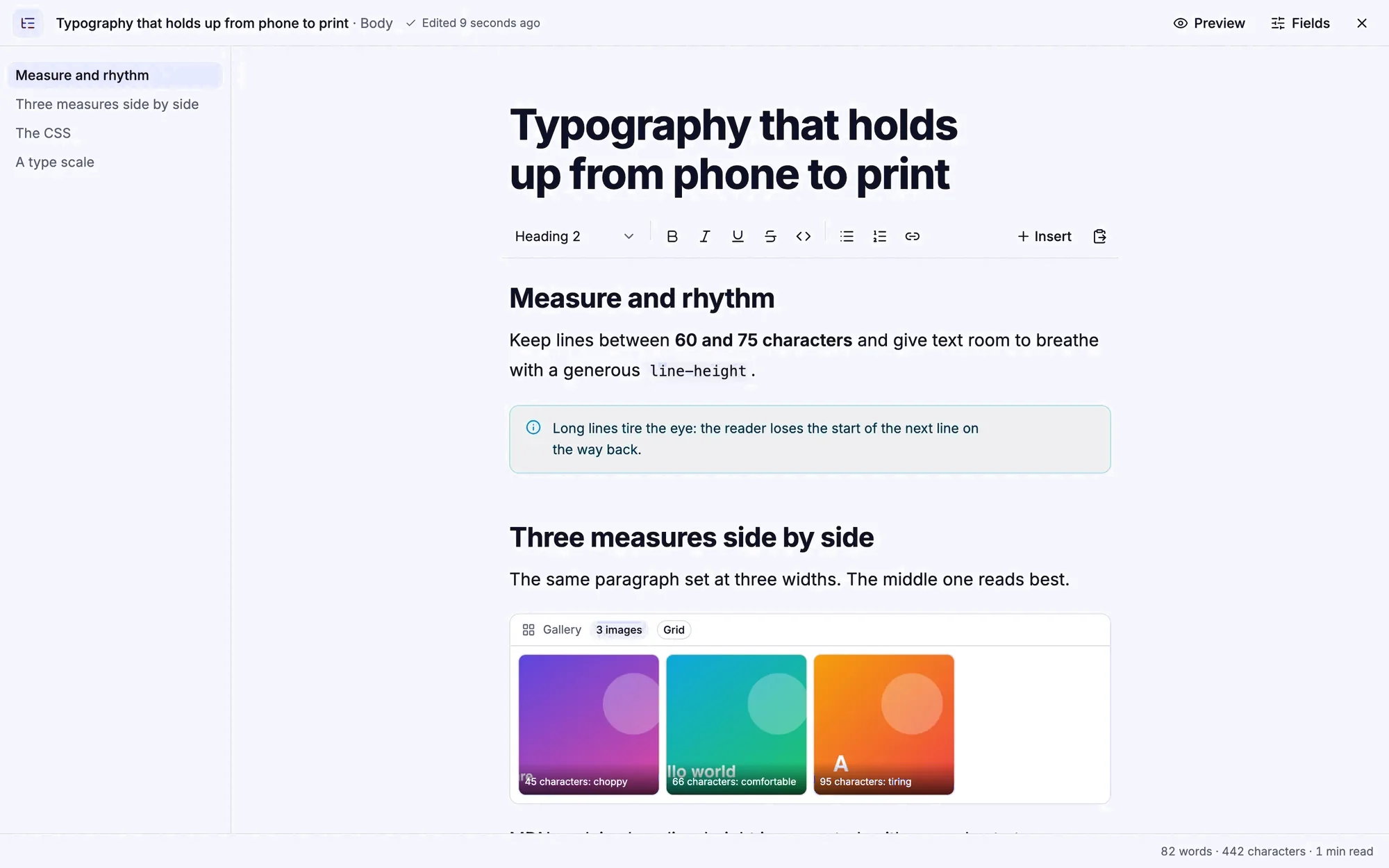
Editors never touch the schema or a terminal. They edit the real page, write without distractions and hand the repetitive work to AI and automations, and nothing ships until they say so.

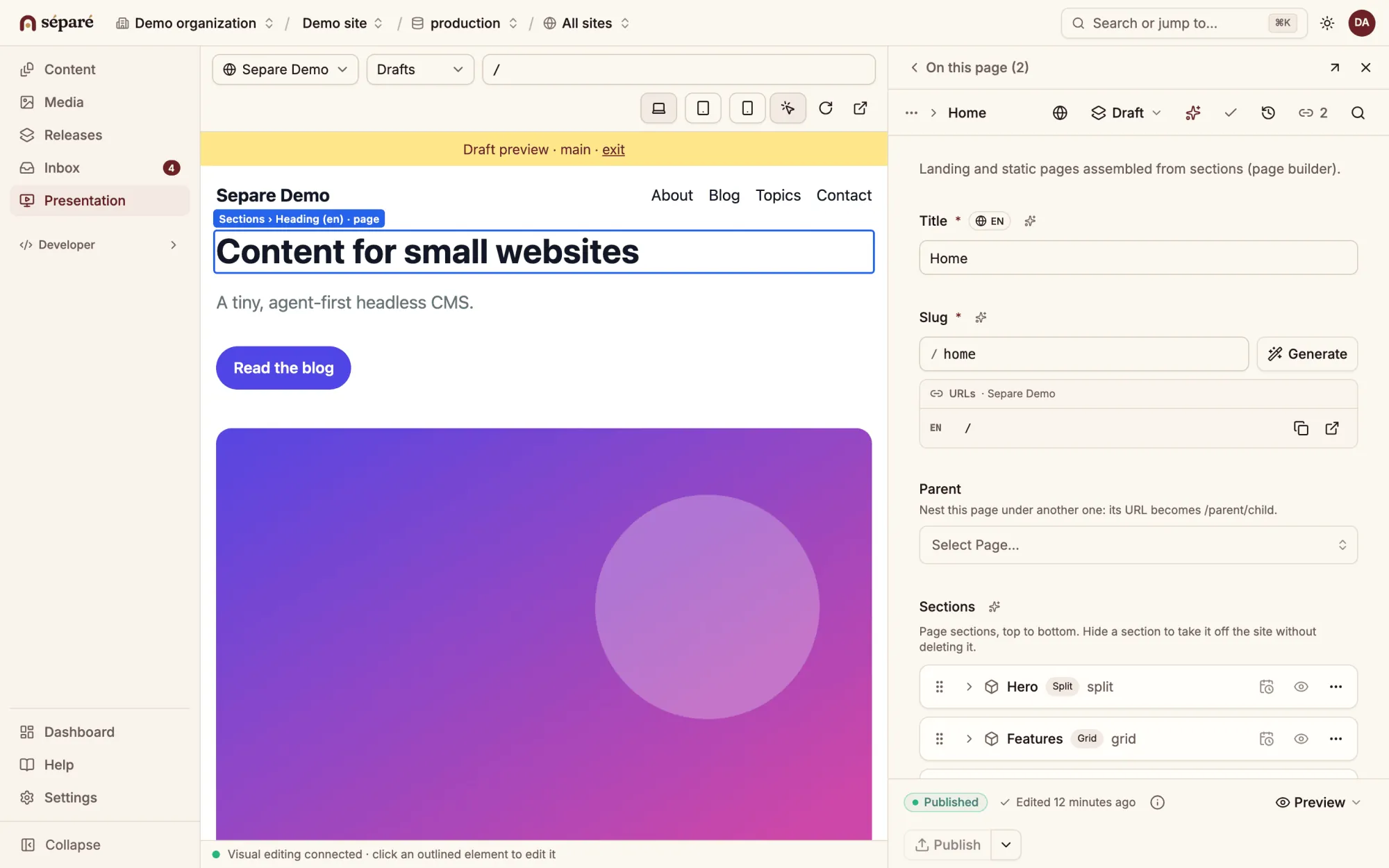
Presentation: the website’s home page in draft mode on the left with the heading outlined for editing, the page document’s fields on the right.
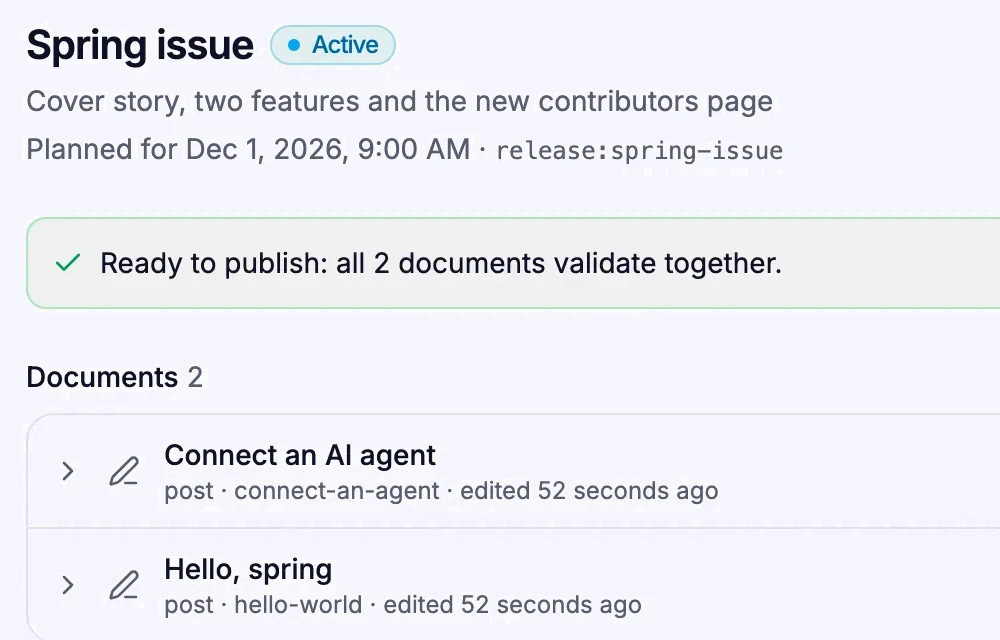
A release named Spring issue, planned for December 1 at 9:00, ready to publish with two changed documents.

Releases and scheduling

Group changes to several documents, preview the site as it will look, and publish them together now or at a set time.

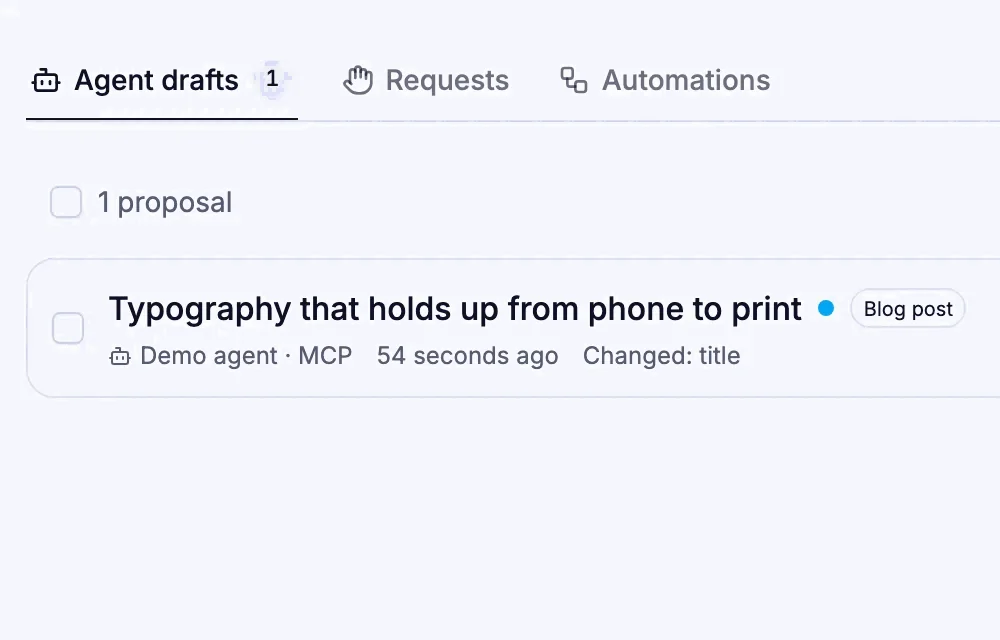
Tasks: a blog post draft written by an agent over MCP, waiting with Open, Reject and Approve buttons.

Tasks

Drafts written by agents and tool calls that need approval wait in one queue until a person decides.

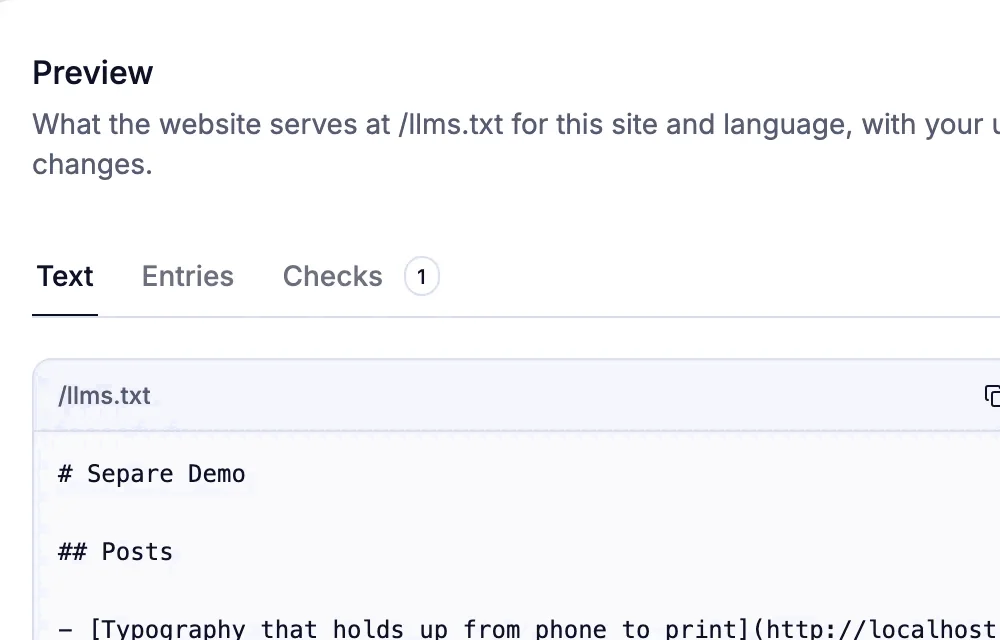
AI visibility: the llms.txt editor with the file’s settings on the left and a live preview of /llms.txt on the right.

SEO and AI visibility

Edit the llms.txt and Markdown pages your website serves to AI answer engines, next to sitemaps and JSON-LD.

Use cases

Ready for your blog or magazine

Start with a blog and grow into a magazine, a shop or an agency’s client sites. It is the same Separe each time; you turn on more of it as the site grows.

01 / 06 · Blog / magazine

Posts, authors and categories, and for a magazine, issues that publish together.

Editors
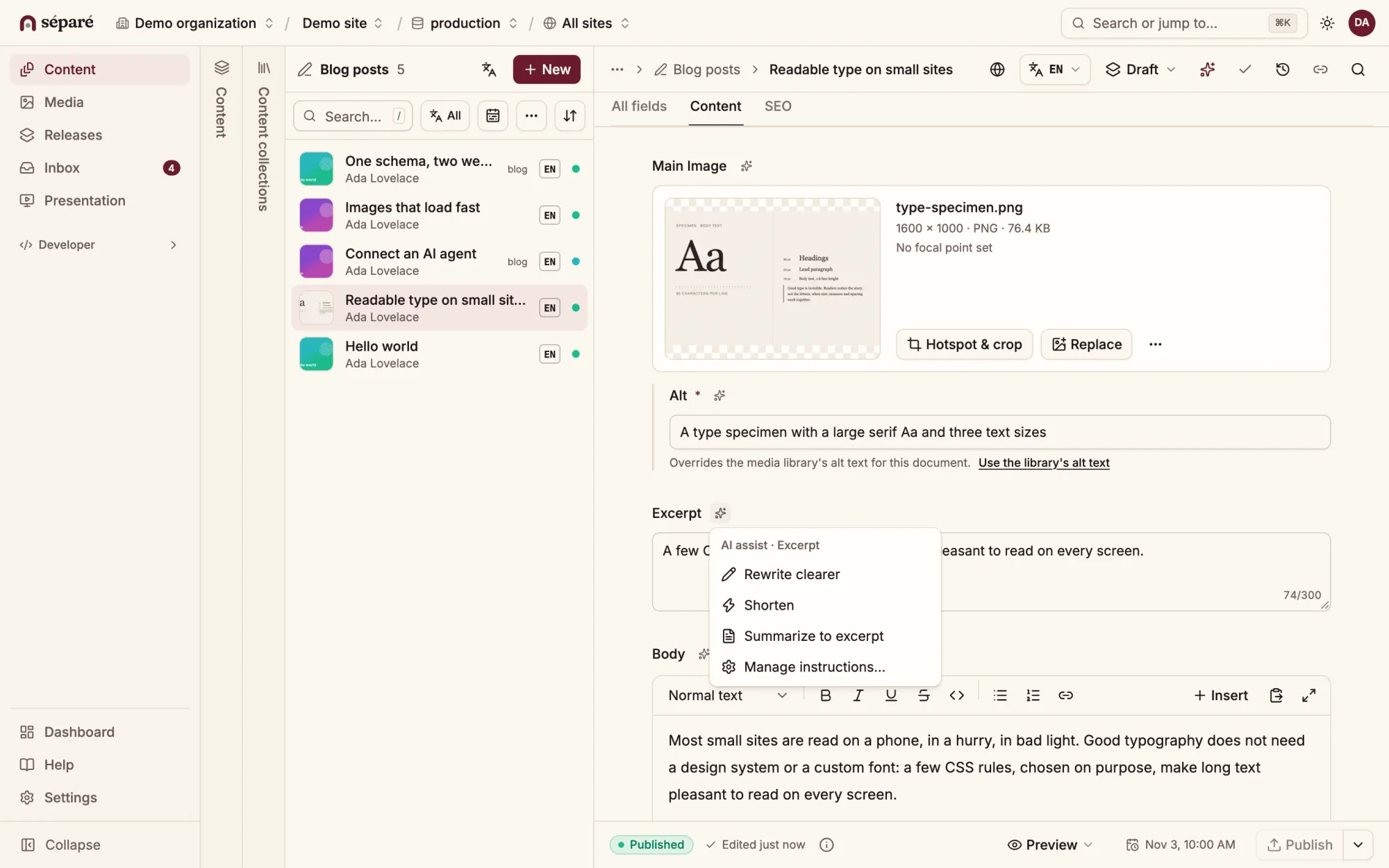
Write long reads full screen, plan an issue as a release that goes live at a set time, and translate per field or per document.
Separe adds
  • Writing mode
  • Releases and scheduling
  • Translations
  • Taxonomies

Content model

postdocument
titlestring
bodyPortable Text
author→ author
categories→ category[]
issue→ issue
authordocument
namestring
portraitimage
issuedocument
titlestring
coverimage
Posts127
  1. Spring issue: the cover storyAda LovelaceDraft
  2. A conversation about typeLucia HorvathIn release
  3. Ten long reads from the archiveMartin BluePublished
  4. Notes on print and screenAda LovelacePublished
Editor

For AI agents

Agents do the work. People decide what ships.

Connect Claude Code, Cursor, VS Code, Codex CLI or Gemini CLI with one command and OAuth. The MCP server describes the schema to the agent and every tool checks its permissions.

  • Their own permissions

    Each token has a role, datasets and the types it may read or write.

  • Dry runs

    Every write tool takes dryRun: the whole pipeline runs except the commit.

  • A person decides

    Policies can hold any tool call for approval; agent drafts wait in Tasks.

Claude Code · separe (MCP)
  1. Find the blog posts without a meta description and write one for each. Keep them as drafts.
  2. get_project_context{}
    → Demo site · role: editor · writes need review
  3. query*[_type == "post" && !defined(seo.metaDescription)]{ _id, title }
    → 3 results
  4. edit_document{ id: "hello-world", set: { "seo.metaDescription": "…" }, dryRun: true }
    → valid · 0 warnings
  5. edit_document× 3 · drafts
    → 3 drafts saved · waiting in Tasks
  6. Done. Three descriptions are saved as drafts, each under 160 characters. They are waiting in Tasks for your review; nothing has been published.

Sanity-familiar

If you know Sanity, you already know .

The same field types and defineType, and the same query language for the parts it implements. Your schema files change in two places: the import, and validation as a rule object instead of a function.

schemaTypes/post.tsSanity
import { defineType, defineField } from 'sanity'

export const post = defineType({
  name: 'post', type: 'document',
  fields: [
    defineField({ name: 'title', type: 'string',
      validation: (rule) => rule.required() }),
    defineField({ name: 'body', type: 'array',
      of: [{ type: 'block' }] }),
  ],
})
schemaTypes/post.tsSepare
import { defineType, defineField } from 'separe/schema'

export const post = defineType({
  name: 'post', type: 'document',
  fields: [
    defineField({ name: 'title', type: 'string',
      validation: { required: true } }),
    defineField({ name: 'body', type: 'array',
      of: [{ type: 'block' }] }),
  ],
})

Self-hosted

Your server, your data, one process.

The repository ships a Dockerfile, a Compose file and a Caddy configuration. Start it, read the one-time setup token from the log, and the Studio walks you through the rest.

  • Backups

    Snapshots on a schedule to a local folder, S3-compatible storage, rclone targets or a git remote, encrypted if you want.

  • Firewall

    Block AI crawlers and scrapers, set rate limits and ban repeat offenders, with a helper for the Next.js edge.

  • Analytics

    Traffic, latency and errors per project, the slowest queries, and what each agent did.

  • Upgrades

    Numbered migrations, a changelog with migration notes, and separe-server upgrade to move to a new version.

Pricing

Free to run. Help when you want it.

Every feature is in the open-source release, with no limits on projects, people or documents. Companies and agencies that want a hand can work with us directly.

Free

Open source

$0forever

MIT licence, self-hosted, every feature

On your own server:

  • The Studio, releases and scheduling, localization
  • MCP server for AI agents, with policies and approvals
  • AI per project with your own provider keys
  • Analytics, firewall, backups and plugins
Coming soon

Enterprise

Custom

For agencies and companies that want help

Everything in Free, plus:

  • Setup and hosting on your infrastructure
  • Migration from Sanity or WordPress
  • Custom features and plugins
  • Priority support and security fixes with an SLA
Coming soon

FAQ

Questions about .

What developers and content leads ask first.

Is Separe compatible with Sanity?

It follows Sanity’s way of working: defineType and defineField schemas, Portable Text, drafts, releases and Sanity’s roles. Queries use GROQ-lite, a subset of GROQ with the same syntax for the parts it implements. It is its own server and API, so your site uses Separe’s SDK.

Can I move my content from Sanity?

Yes. separe dataset import reads a sanity datasets export archive as it is: drafts, references, Portable Text and assets come across, and --dry-run reports every change first. Define the schema in Separe before you import. There is also an importer for WordPress ACF field groups.

Where does it run, and on which database?

On your server, as one Node.js 24+ process that also serves the Studio at /admin and the MCP server at /mcp. Data lives in SQLite or Postgres, media on the server or in S3-compatible storage. The repository ships a Docker Compose file with Caddy.

Can the content live in git instead of a database?

Yes, in file mode. Content, schema and media are files in your website’s repository, changes are reviewed in pull requests, and in production the site reads the files itself, with no CMS server to run.

How do AI agents get access, and what stops them?

An agent connects over MCP with OAuth and acts with its own token: a role, the datasets and document types it may touch, and policies that can hold any tool call for a person’s approval. Every write tool takes dryRun, and agent drafts wait in Tasks.

Which AI providers does it use, and where does my content go?

None until an admin sets one up in Admin › AI: Anthropic, OpenAI, OpenRouter or any OpenAI-compatible endpoint. Requests go from your server to the provider you chose. AI is switched on per project, and using it needs the ai:use permission.

Does it handle several languages?

Yes. Translate per field or per document, with AI or an agent, and track the status of each translation. The optional translation module adds jobs with review, translation memory, a glossary, XLIFF and DeepL.

Is it stable enough to use?

It is in beta, at 0.52. Breaking changes can land before 1.0, and each one comes with a migration note. Migrations are numbered, separe-server upgrade plans and runs an upgrade, and scheduled backups keep a way back.

What does it cost?

Nothing to run it. Separe is open source under the MIT licence, with every feature and no limits on projects, people or documents; you host it yourself and pay only for your server. Companies and agencies that want help with setup, migration, custom work or priority support can contact us.